
Admin: Payroll Data Management
Complete guide to managing employee payroll information, viewing payroll data, and exporting payroll for processing in CitoHR.
Overview
The Admin Payroll Data section allows you to view and manage employee payroll information including salary, tax information, National Insurance numbers, and other payroll-related data. You can also export payroll data in various formats for processing by external payroll systems or accountants.
Note
This documentation covers the admin interface for managing payroll data. Payroll data is sensitive information
and should only be accessed by authorized administrators.
Prerequisites
- You must have ADMIN role to access payroll data
- Payroll templates should be configured before exporting (see Payroll Templates)
Accessing Payroll Data
- Log in to your CitoHR account with Admin credentials
- Click on your organization name in the header
- Select "People" from the admin menu
- Click "Payroll Data" from the People dropdown
- Or navigate directly to /admin/payroll
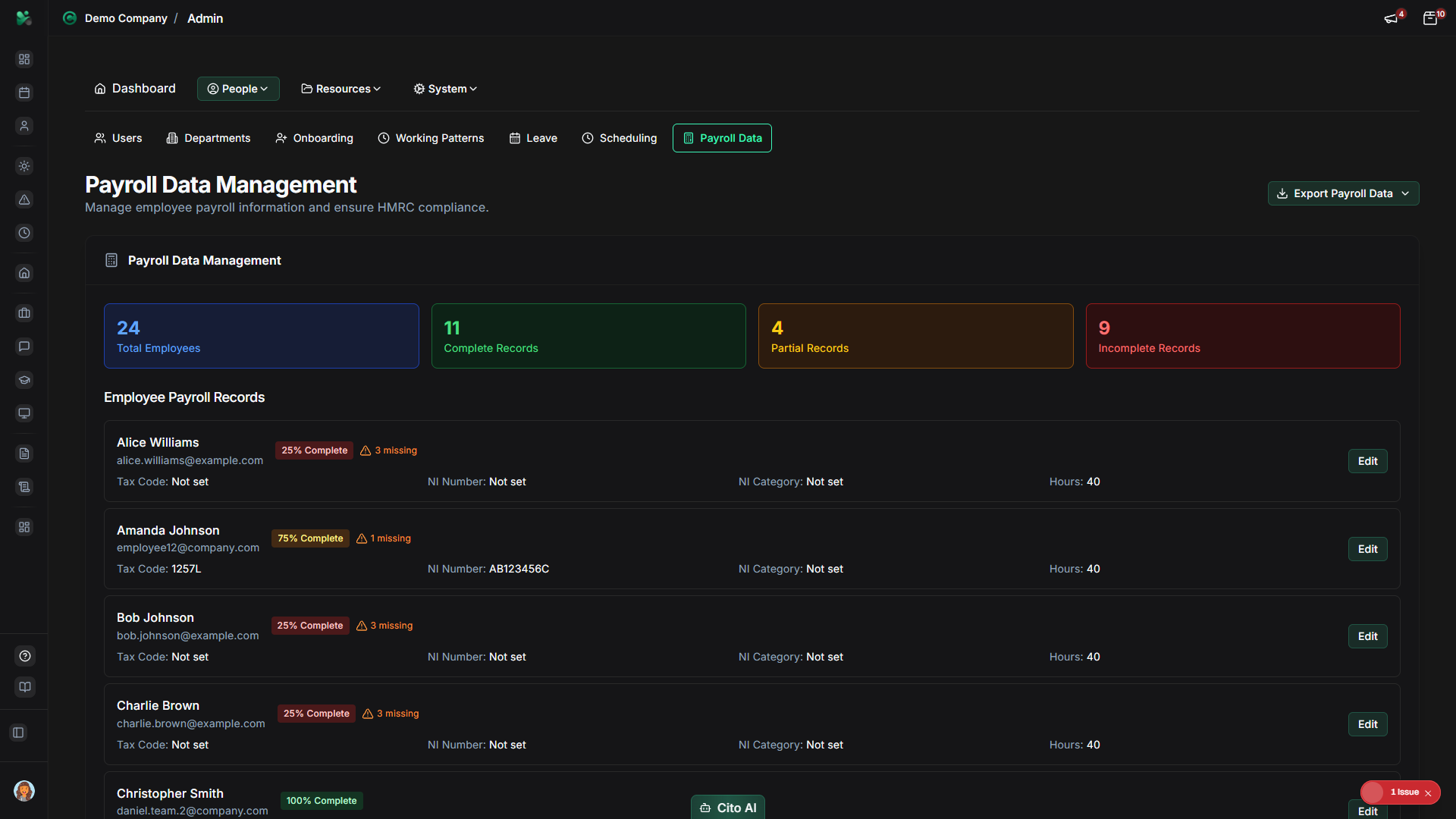
Viewing Payroll Data
See all employee payroll information:
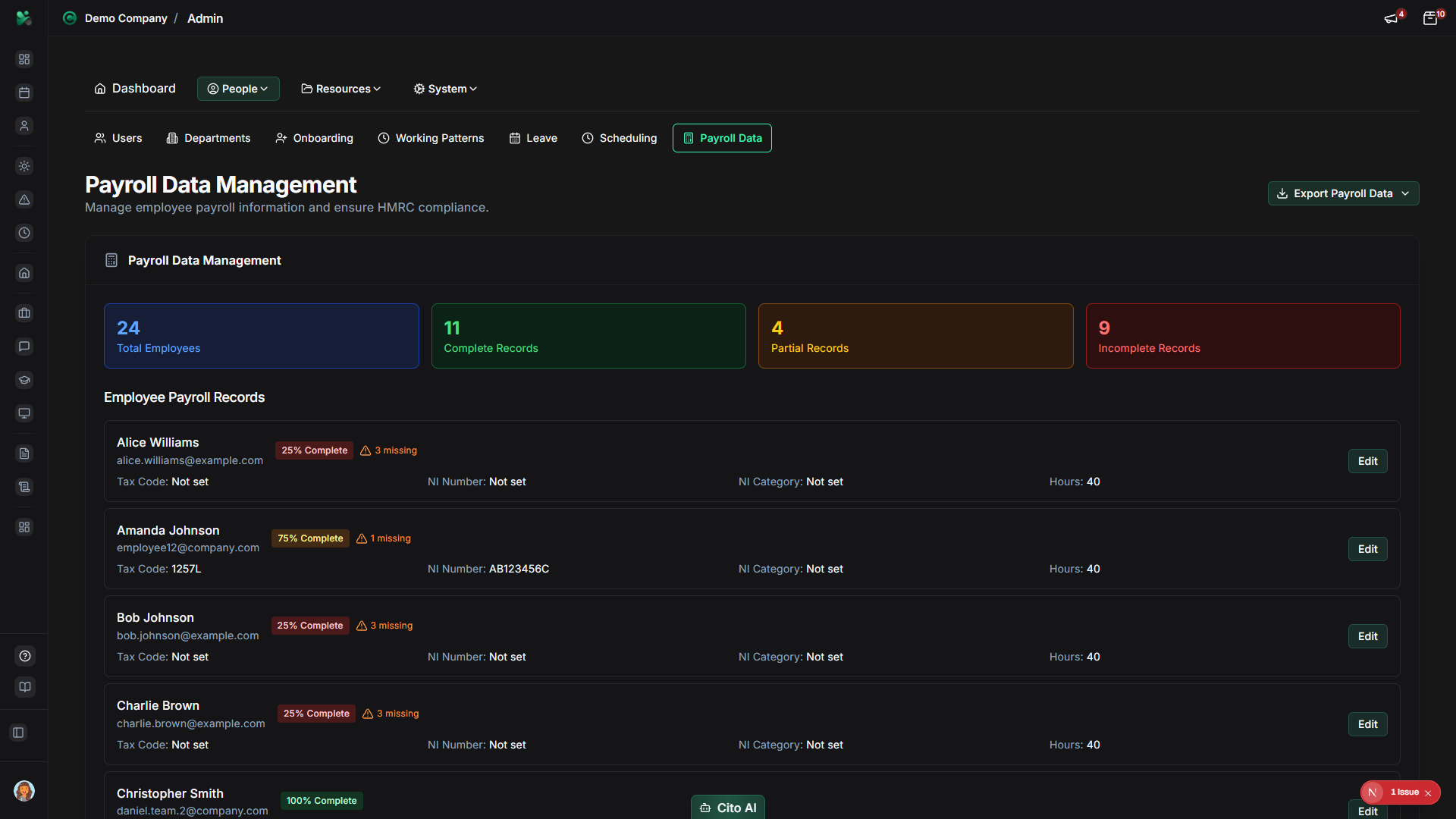
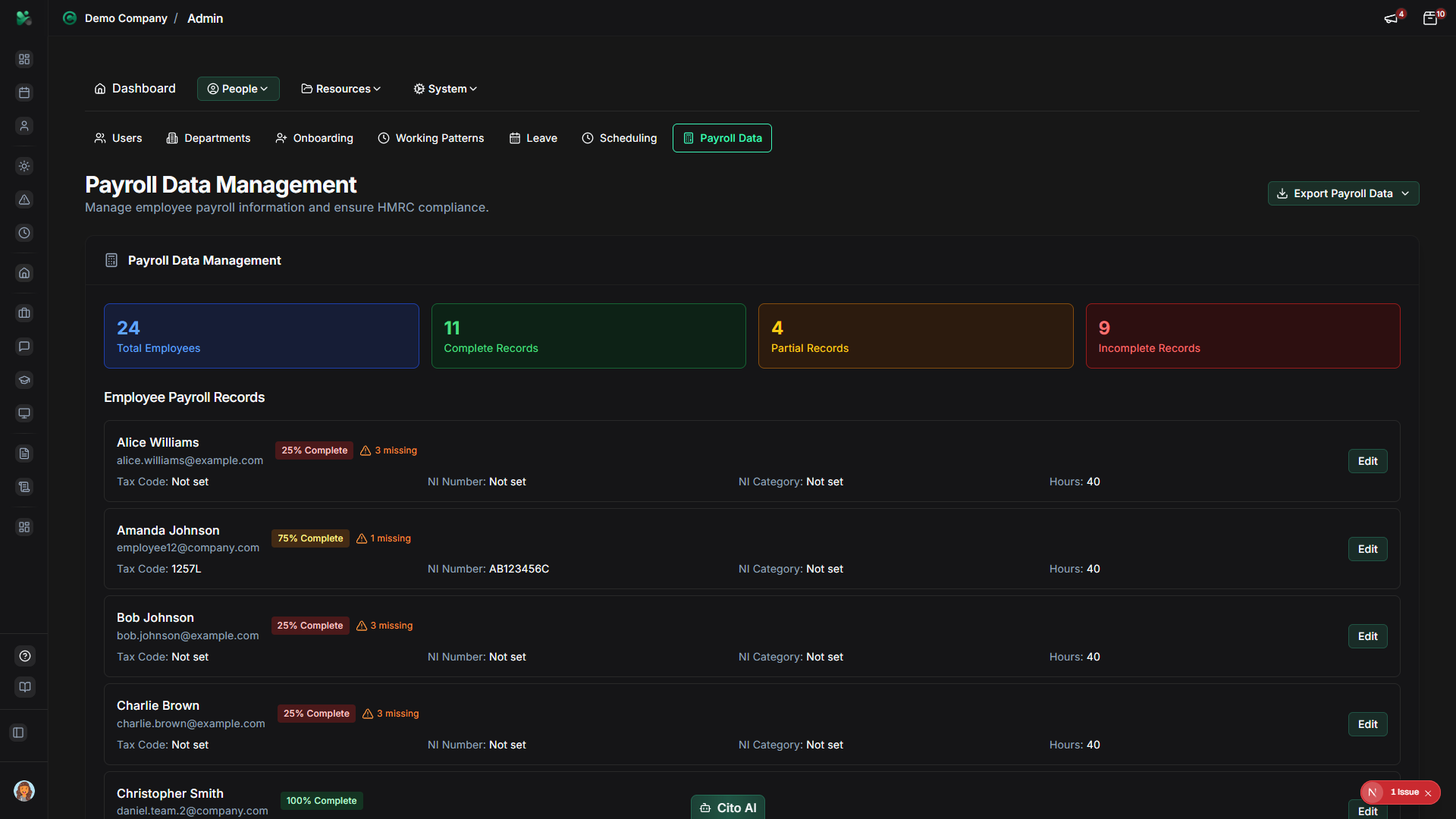
- On the Payroll Data page, you'll see a table listing all employees with payroll information
- Each row shows:
- Employee name
- Employee ID/Number
- Salary/Annual pay
- Tax code
- National Insurance number
- Payroll status
- Actions (Edit, View Details)
- Use the search bar to find specific employees
- Use filters to narrow results by department, status, or other criteria
- Click on an employee row or the "View" button to see detailed payroll information
Editing Payroll Data for an Employee
Update payroll information for an employee:
- Navigate to Admin > Users
- Find and open the user profile for the employee
- Navigate to the Payroll or Salary section
- Update payroll fields:
- Annual Salary - Enter the annual salary amount
- Tax Code - Enter the UK tax code (e.g., 1257L)
- National Insurance Number - Enter the NI number
- Payroll Number - Enter employee payroll reference number
- Payment Frequency - Select monthly, weekly, etc.
- Other payroll-related fields as needed
- Click "Save" to save the changes
- The updated information will be reflected in the Payroll Data table
Warning
Payroll data is sensitive information. Ensure you have proper authorization and follow your organization's data protection
policies when accessing or modifying payroll information.
Exporting Payroll Data
Export payroll data for processing by external systems:
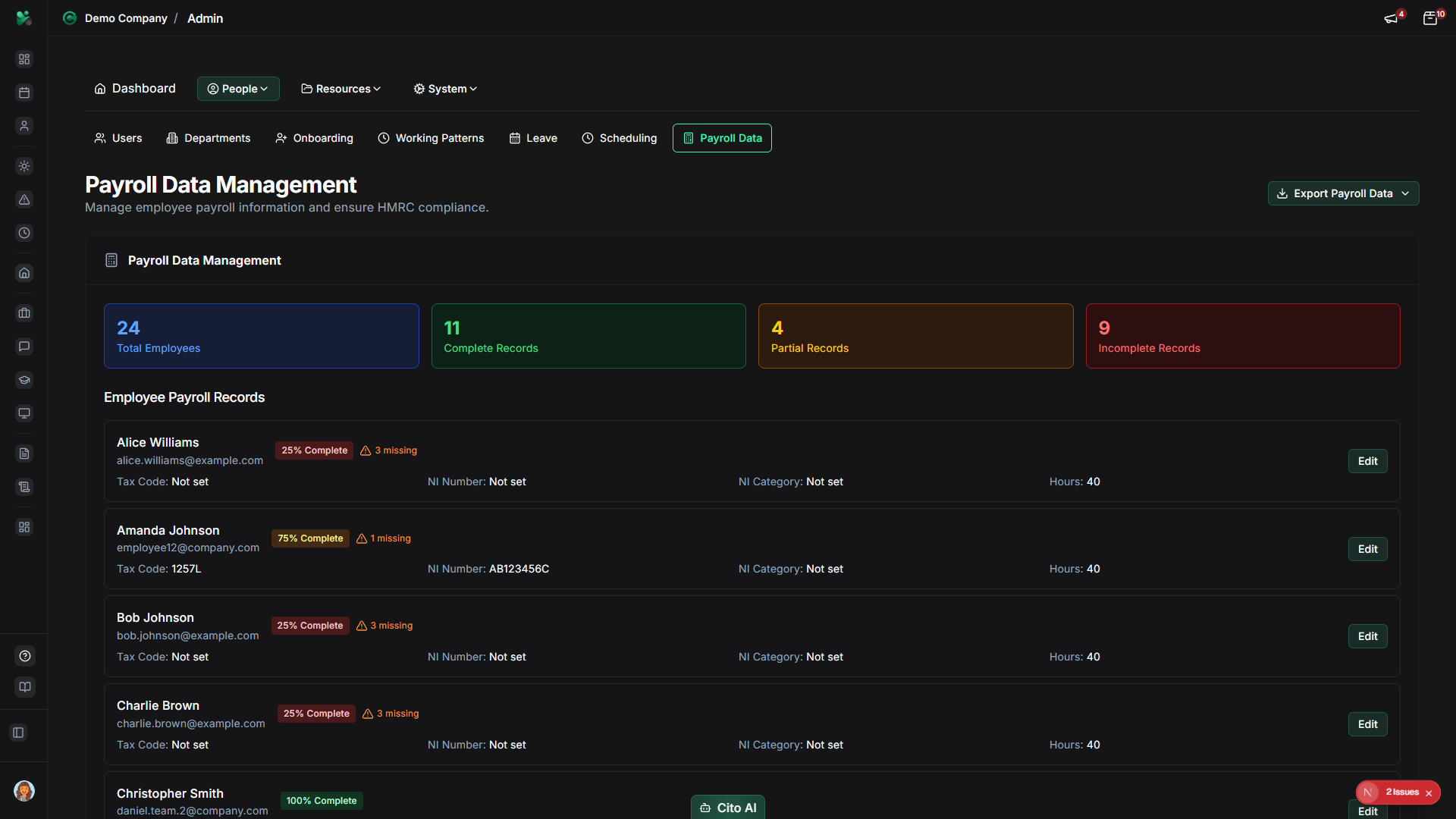
- On the Payroll Data page, click the "Export Payroll Data" button (usually top right)
- The export template selection dialog will open
- Select an export template from the dropdown:
- Templates are configured in Payroll Templates
- Each template specifies the format (CSV, Excel, etc.) and data structure
- Common templates include formats for popular payroll systems
- Review the selected template details (format, description)
- Click "Export" to generate the export file
- The export will be generated for the current pay period (typically current month)
- The file will download automatically or open in a new tab
- Save the file for your payroll processing system or accountant
Tip
Export payroll data regularly (monthly or per pay period) to ensure your external payroll system has the latest information.
The export includes all active employees with their current payroll data.
Payroll Data Fields
Common payroll fields managed in CitoHR:
- Annual Salary - Employee's annual gross salary
- Tax Code - UK tax code (e.g., 1257L, BR, D0)
- National Insurance Number - Employee's NI number
- Payroll Number - Internal payroll reference number
- Payment Frequency - How often employee is paid (monthly, weekly, etc.)
- Bank Details - Account number and sort code (if stored)
- Pension Information - Pension scheme details and contributions
- Employment Start Date - Used for payroll calculations
Note
Not all fields may be available depending on your organization's configuration and subscription level. Some fields may be
managed in the user profile rather than the Payroll Data page.
Best Practices
- Keep payroll data up to date, especially salary changes and tax code updates
- Export payroll data regularly before each pay run
- Verify exported data before sending to payroll processors
- Maintain accurate tax codes and NI numbers for HMRC compliance
- Follow data protection regulations when handling payroll information
- Use payroll templates that match your payroll system's requirements
- Keep audit trails of payroll data changes
- Coordinate with your payroll provider or accountant on data requirements
Related Features
- Users - Edit payroll data from individual user profiles
- Payroll Templates - Configure export templates for different payroll systems
- HMRC Compliance - Ensure payroll data meets UK compliance requirements
- Reports - Generate payroll-related reports