
How do I: Export payroll data
Learn how to export payroll data for external processing or accounting.
Overview
Exporting payroll data allows you to send employee payroll information to external payroll systems, accounting software, or payroll providers. You can export data using pre-configured templates that format the data according to your payroll system's requirements.
Note
Payroll templates should be set up before exporting. See Set up payroll templates for instructions.
Accessing Payroll Data
To export payroll data:
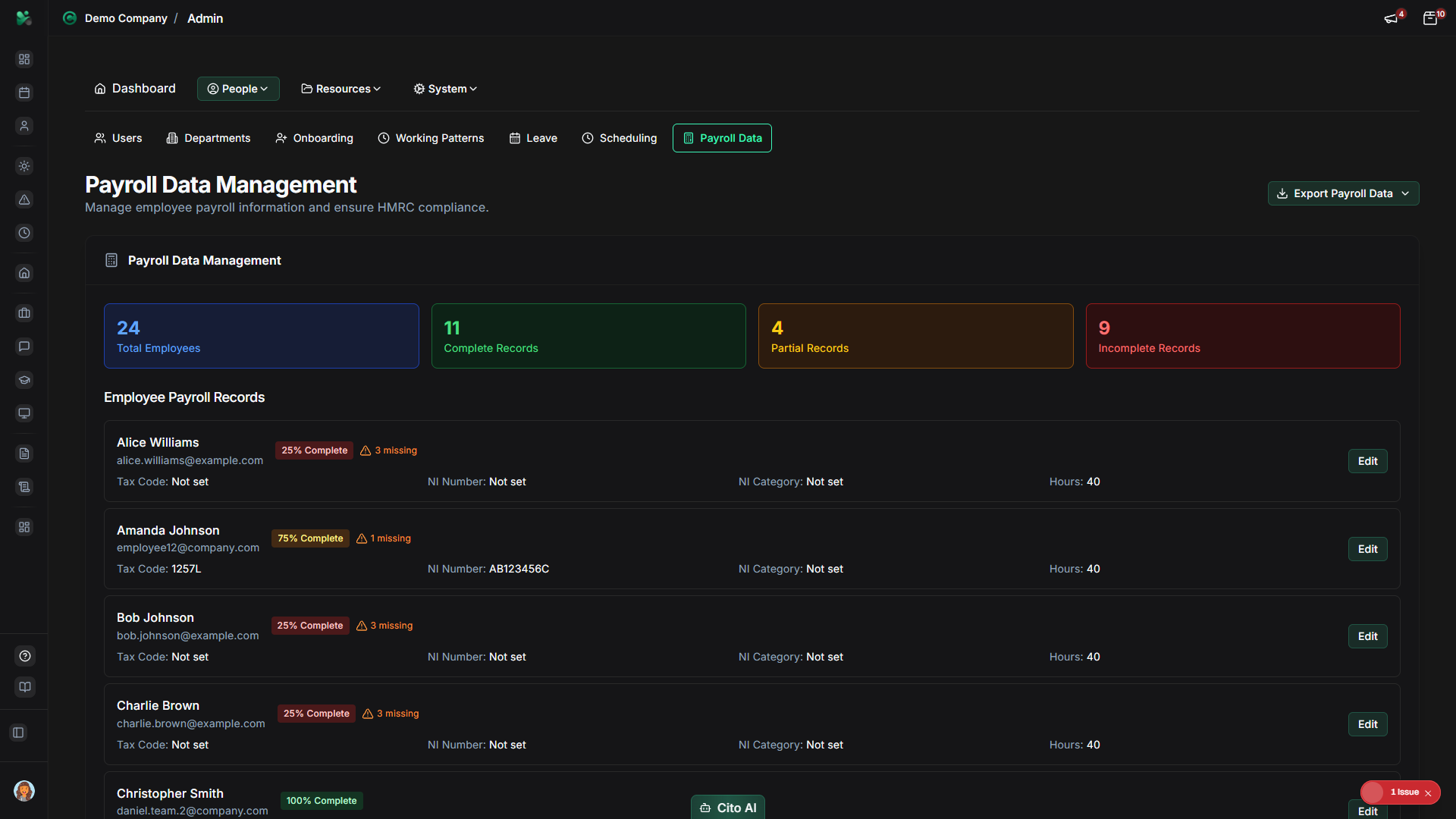
- Navigate to Admin > Payroll Data
- You'll see a list of all employees with payroll information
Selecting Employees
Choose which employees to include in the export:
- Use filters to narrow the employee list:
- By department
- By employment status
- By date range (for pay periods)
- Select individual employees using checkboxes, or
- Click "Select All" to include all visible employees
Choosing an Export Template
Select the appropriate template for your payroll system:
- Click "Export" or "Export Payroll"
- In the export dialog, select a Template from the dropdown:
- Sage
- Xero
- QuickBooks
- CSV (Generic)
- Custom templates you've created
- If you haven't set up templates yet, you can export in a default CSV format
Tip
Templates ensure the export format matches your payroll system's requirements. If you're unsure which template
to use, check with your payroll provider or accountant.
Configuring Export Options
Set additional export parameters:
- Pay Period - Select the date range for the payroll
- Export Format - CSV, Excel, or XML (depending on template)
- Include Fields - Choose which data fields to include:
- Basic employee information
- Salary and compensation
- Tax information
- National Insurance details
- Pension contributions
- Deductions
Generating and Downloading the Export
To generate and download the export file:
- Review your selections (employees, template, options)
- Click "Generate Export" or "Export"
- Wait for the export to be generated (this may take a moment for large datasets)
- The file will automatically download, or you'll see a download link
- Save the file in a secure location
Important
Payroll data is sensitive information. Ensure you:
- Store exported files securely
- Only share with authorized personnel
- Delete files after use if no longer needed
- Use secure channels when transmitting payroll data
Verifying the Export
Before importing into your payroll system, verify the export:
- Open the exported file
- Check that all selected employees are included
- Verify that required fields are present
- Ensure data is formatted correctly
- Confirm that totals and calculations are accurate
Tip
Test the export with a small sample of employees first to ensure the format is correct before running a full payroll export.
Related Documentation
- Set up payroll templates - Create export templates
- Admin: Payroll Data - Complete payroll management guide
- Admin: Payroll Templates - Manage export templates