
Organization
Complete guide to viewing and managing your organization's structure, departments, and hierarchy in CitoHR.
Overview
The Organization section provides an overview of your company structure, including departments, teams, and reporting hierarchies. You can view the organizational chart and understand how your organization is structured.
Accessing Organization
- Log in to your CitoHR account
- Click on Organization in the main navigation menu
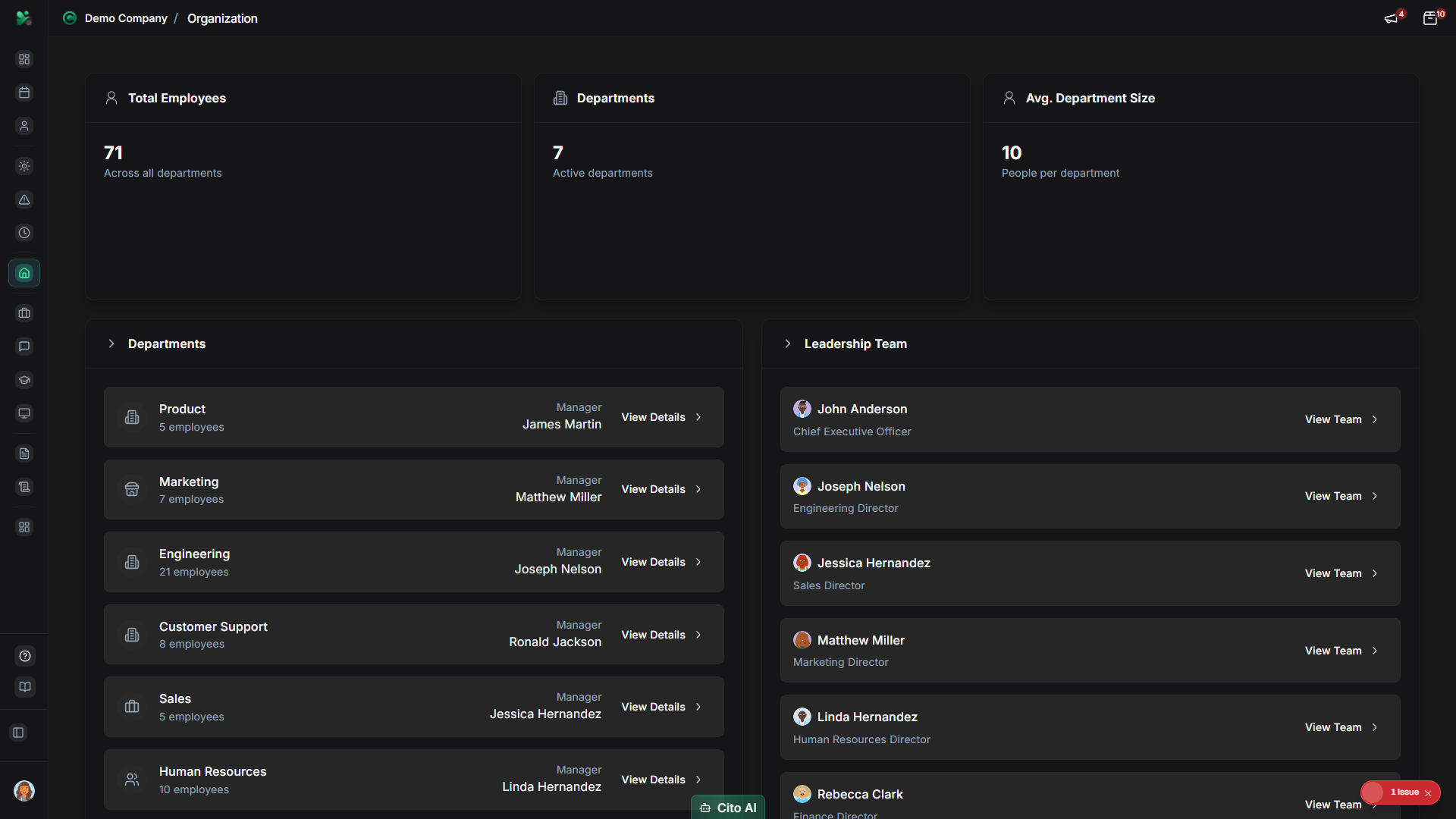
Viewing Organizational Structure
See how your organization is structured:
- On the Organization page, you'll see the organizational overview
- View:
- Departments and teams
- Department heads and managers
- Employee counts per department
- Organizational hierarchy
- Click on a department to see more details
Viewing Organizational Chart
See the visual hierarchy of your organization:
- Navigate to Organization > Structure or Org Chart
- You'll see a visual organizational chart showing:
- Reporting relationships
- Manager-employee connections
- Department groupings
- Roles and positions
- Zoom in/out to see different levels
- Click on any person to view their profile
Tip
The org chart is interactive. You can navigate through different levels and click on people to see
their details.
Viewing Departments
See all departments and their details:
- On the Organization page, scroll to "Departments"
- You'll see a list of all departments with:
- Department name
- Department head/manager
- Number of employees
- Description
- Click on a department to see all employees in that department
Managing Departments (Admin)
Administrators can create and manage departments:
- Navigate to Admin > Departments
- Click "Add Department" to create a new department
- Fill in department details:
- Department name (required)
- Description
- Department head/manager
- Parent department (if applicable)
- Click "Save"
- Edit existing departments by clicking on them
Viewing Team Members
See who's in your department or team:
- Navigate to Organization
- Click on a department
- View all employees in that department
- See their roles, positions, and contact information
- Click on any employee to view their profile
Related Features
- Employee Directory - Search and find employees
- User Management - Assign employees to departments
- Reports - View organizational reports